Everything starts with knowing what you have
You can't protect what you don't know you have.
In our previous article, we did a quick exercise in mapping out online subscriptions. This was part of the IT asset management. Finding the negative rows on your bank balance is an easy way to map subscriptions, but how do you map everything else?
I am ready to make a bet that there are at least 2-3 IT assets you don't even know you have. What is an IT asset, I hear you asking? It is anything that has data on it or has any other value to your business. Therefore, the IT asset is also your office security system, since it contains your employees' names and PIN codes. A USB drive you share around the office. Maybe there is an old laptop lying around at the back of some closet?
When you write down all of those assets, you have formed the official IT assets list. This list is the crucial first step in getting your house in order, since you cannot protect something you don't even know you have.
Where do I start? Start off by making some categories. I often use these categories:
- In-place hardware - monitors, printers, TV's, and such
- Shared out hardware - USB drives, laptops, smartphones
- Software - Office, operating systems
- Cloud-based - subscription-based stuff mostly, but also a free Dropbox drive, for example
- Infrastructure - network cables, servers, routers, security system, CCTV
The next step is trying to fill out those categories with actual assets. For example, I write down everything that has data on it. This is important. Sometimes that data can be quite sensitive, so I track every single USB drive my company uses.
For items without data, I only record them if their value exceeds 100€. So your typical headphones, keyboard, and mouse are not on the list. If it is not on the list, then it is not tracked on paper - meaning I do not keep notes of who has it. If an employee decides to transform the office mouse into their home mouse, then so be it. The 50€ cost isn't something I'm going to miss enough to track as an IT asset.
Besides the item's category and name, I also record its cost, unique identifier, location, and the responsible person's name.
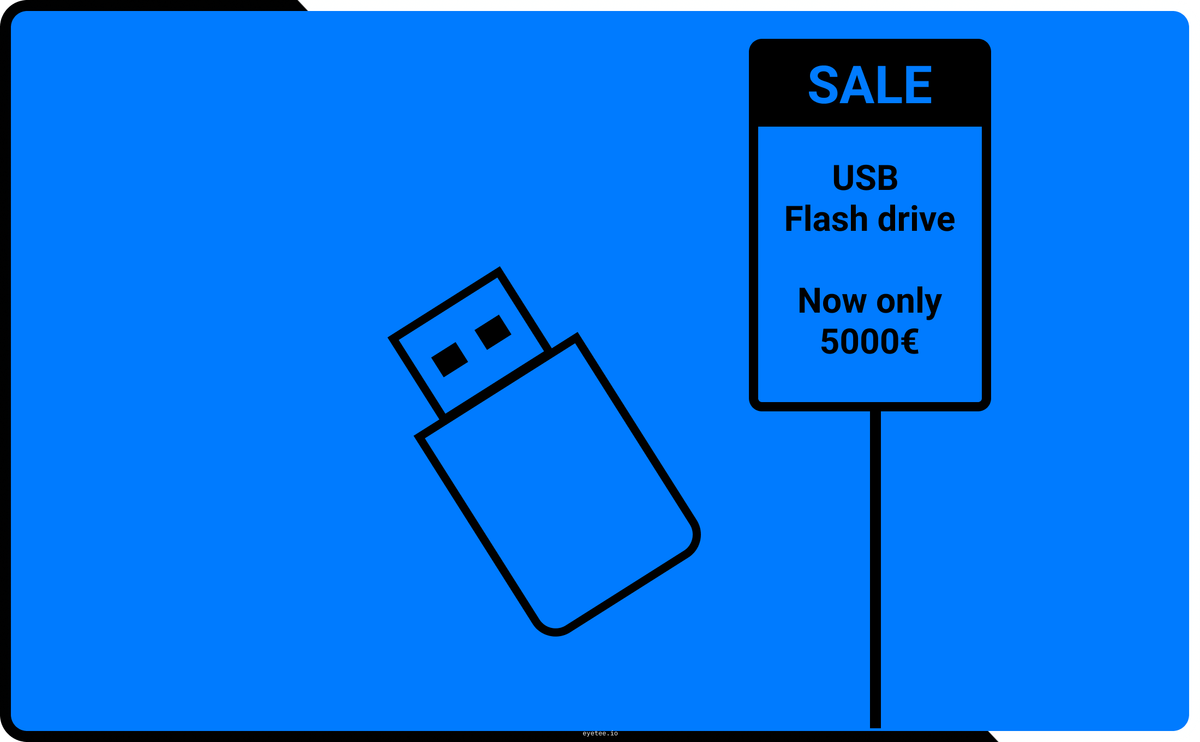
For the cost of the item, I come up with it on the spot. It doesn't have to be exact. You can write what it will cost you to replace it. A 300€ monitor will probably cost around 300€, but a 20€ USB drive might cost 5000€ due to the data on it.
The unique identifier is usually the device's serial number or the software license key. This is why you see enterprises putting custom labels on laptops with a jumble of letters and numbers. This is the unique identifier. Many companies want to create their own. Please do not do that. It is a hassle, and there really isn't any need for it. If you write down the manufacturer and the serial number, you will know with 100% certainty which device it is. You do not need to create your own identifiers.
The location and the responsible person should be self-evident. I want to stress that you write down a person's name. Not the name of the department or the name of the office, but the name of a specific person. When you use the everybody is responsible philosophy, it actually means nobody is responsible. Select one single person and let them know. "This is your problem now, do not lose it, I am tracking it on paper, you will pay for it." This way, the asset will not magically disappear into the ether.
This list and the details make up the IT asset list. It will be a lot bigger than you think, but trust me. It is a good thing. Remember I said to write down the cables as an IT asset? That is one example of more being better. I don't mean track the random cable that someone put on the kitchen counter last year, and nobody is bold enough to throw away. I mean cables in the walls. The ones that carry the internet around your office. Label the cables and track them on paper. If you don't, it means you don't care whether they are there or not. In that case, make sure you have a reliable Wi-Fi connection. If you don't - label your cables!
This asset list will be your "list of responsibilities". You will see exactly who is responsible for what, and you will soon want to add notes next to each asset. This is fine, add away. You will start pondering, "Is this laptop too old?" or "Why do we have 3 printers?" These are all great, valid questions that need answering. But you can only ask them once you've actually seen the whole list.
The asset list also serves as the basis for risk management. Yes, THE risk management. But don't worry, I'll explain it in the next article. It is actually really simple.
One thing more. The list you just created isn't static. It changes in time. Make sure you keep it up to date. Either write down the changes every time the actual assets change, or conduct an inventory once per quarter to check the items on the list. Whatever you choose, keep it up to date. Otherwise, all the work you just did will be for nothing.